
New Stabilized Pencil tool for ToolShed
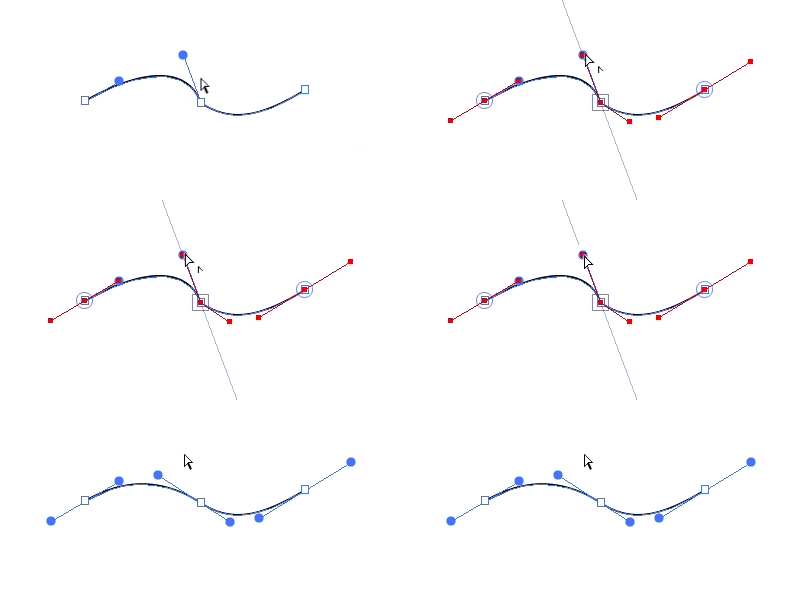
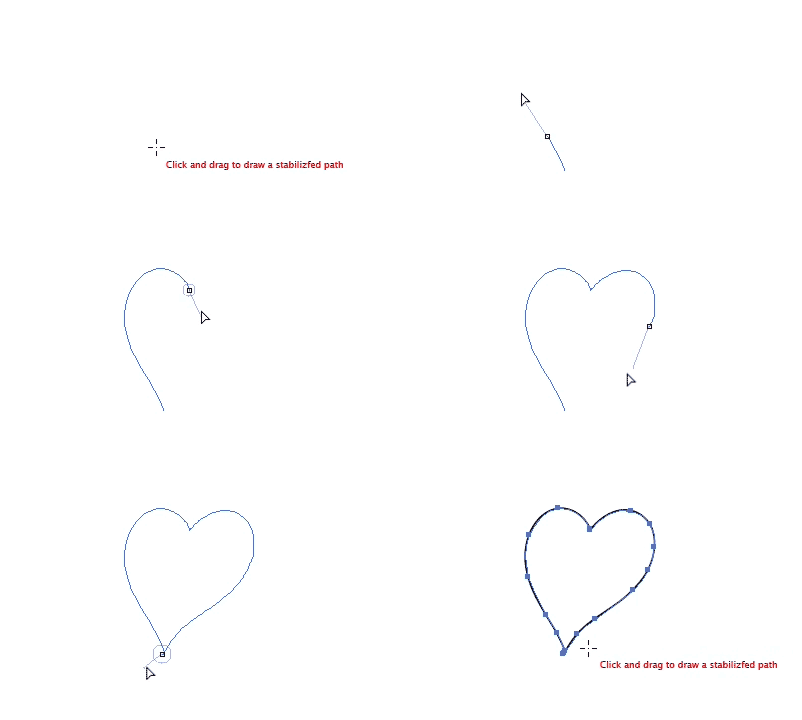 Stabilized Pencil tool adds a “leash” to a pencil to smooth its motion, similar to Photoshop’s smoothed brushes. Keep sharp corners where you want them and smooth the broad strokes. Pulling the pen point begins with a slight buffer, and a ring around the pen point indicates that there’s “slack” in the leash, so your stroke won’t start with a jerk. The new path is simplified according to settings you choose. If the new path is drawn at the endpoint of another, it’s then automatically concatenated into one continuous path.
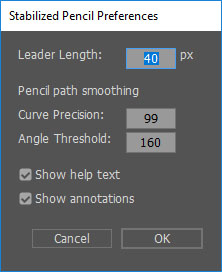
Customize its behavior by double-clicking the Stabilized Pen tool icon to access its Preferences. There, specify a leader length (or 0 for none) and path smoothing settings to match Adobe’s Object > Path > Simplify option. You can also choose whether to display the onscreen help text and annotations. Press the Alt/Option key when releasing the mouse button to skip the path simplification — the “high res” path can then be simplified later.
The ToolShed plugin has three tools and seven functions. I hope you find it useful. There’s a pretty good chance I’ll be bringing more tools to the shed in the not-too-distant future, which will make it an even better value.

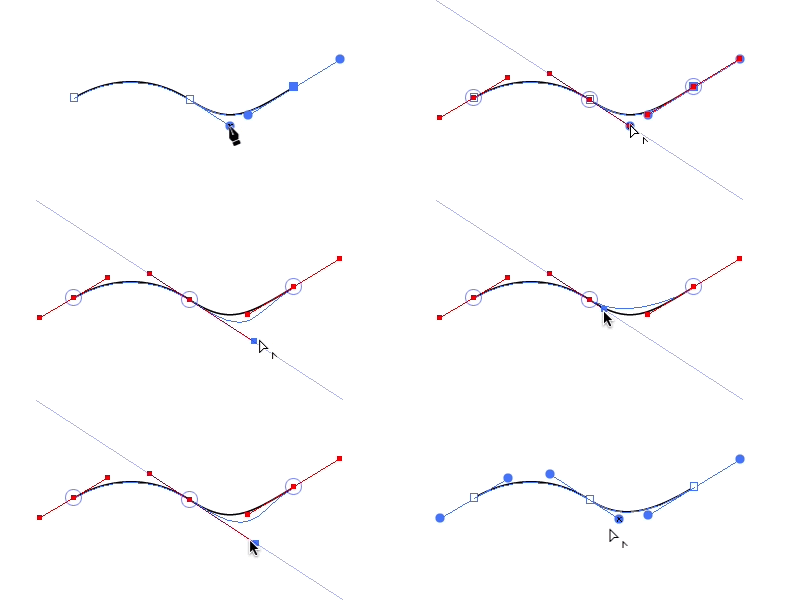
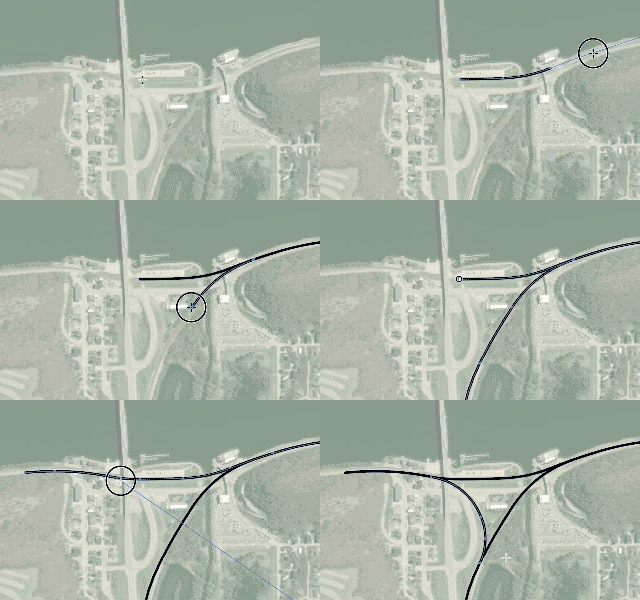 Now there’s an easier way. The new Tangent Arc tool in the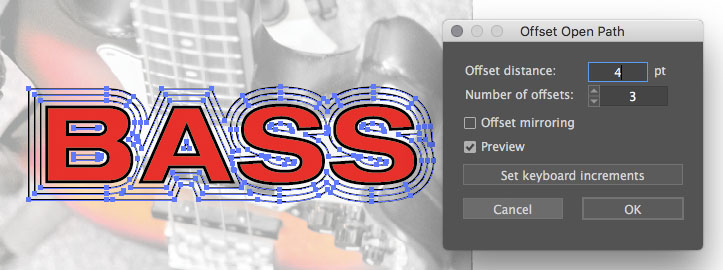
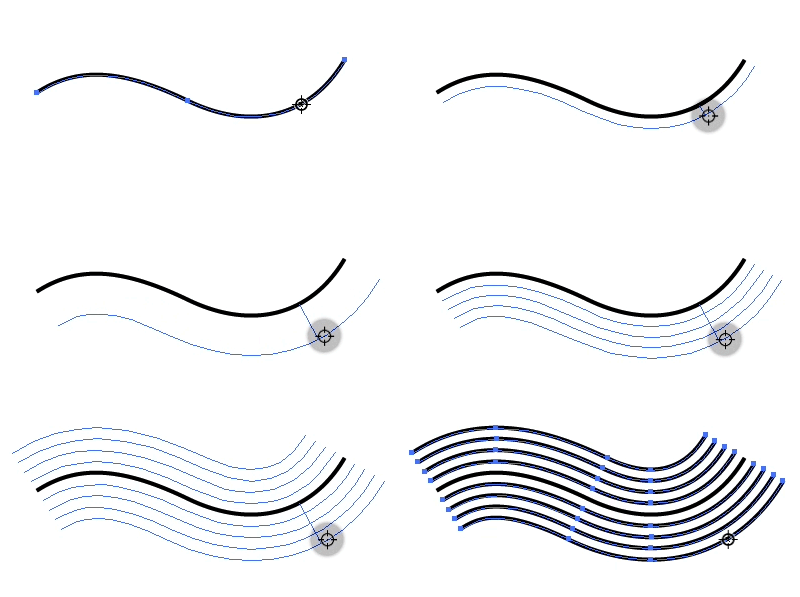 For even quicker results, try the Path Offset tool to drag an equidistant path and use the up and down arrows to add intermediate steps or Alt/Option to mirror offsets to both sides of a path. If the modifier keys are too cumbersome to remember, optional context-sensitive help text following the cursor can remind you of your options.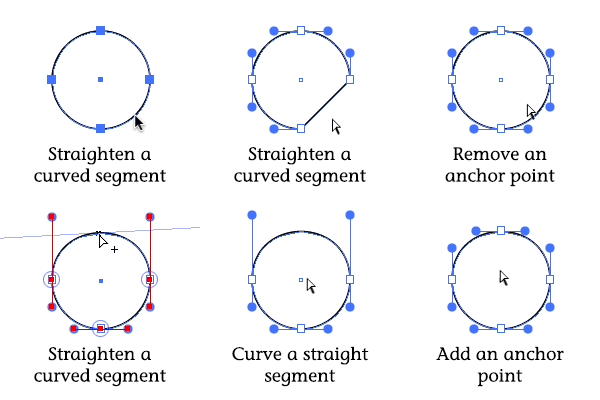
 Isometric or axonometric artists
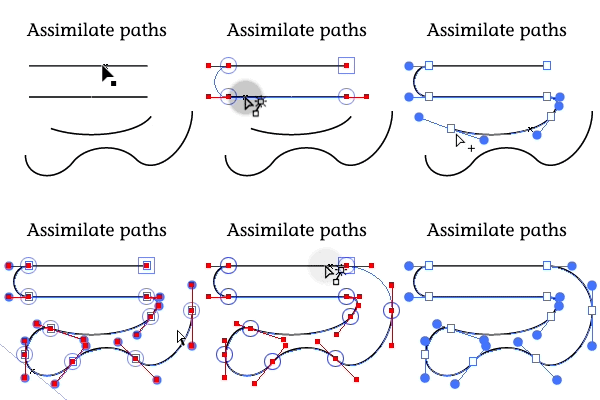
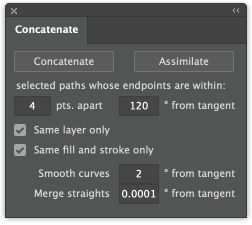 When concatenating a number of straight paths placed end-to-end, there’s often no need to keep the anchor points that once separated them. It’s also often worth simplifying the path just a little to reduce the number of anchor points. This is especially true if you plan to edit the path afterward. Now Concatenate for Adobe Illustrator CS6 and CC has been upgraded to version 16.1.5 with a setting for merging these straight segments. Even a very small value such as the default of 0.0001 (one 10,000th of a degree) will remove points when combining straight paths that were cut and rejoined. For the most hands-off handling of paths when concatenating, just enter 0 in the settings for curves and straights. This update is recommended for all users.