Some of you may recall a plugin called Proof Block. It ranked even below the Alien Palette in popularity, although I’ve used it myself at my day job for over 20 years. For the most part, it was little more than a small form to be initialed by people proofing various drafts of artwork prior to publishing. I was inspired to write it by the recurring problem we had of a copy-and-paste version that would sometimes peek back at us from a QuarkXPress graphic frame. My solution was to create a “proof block” layer, place the form on it, then the plugin set it to printable when opened in Illustrator, but non-printing and not visible when closing the document. Crisis solved!
Perhaps you’d still like something like that. It’s really not that difficult to write a script to draw the lines, boxes, and text, but I’m a staunch advocate of using a script, not a plugin, for that now. My proof block script today does everything that the plugin did, and much more. First, we have a document naming convention so the script can discern the magazine name, date, story code, and even look up the editors on its staff. It handles dates, keeps track of proof iterations, and even stores a record of the revision history in the document. When I save the document to the art server, the script saves a copy to the correct folder on the editorial server. If it’s a first draft, it fetches the illustrator’s name from Outlook, looks up the designer’s email and alerts her that art is available to place in InDesign. When the art is approved, it’s marked as such and the related editors, art director, and designer are notified.
In addition, scripts check for missing fonts, placed art that should be embedded, look for RGB colors in a CMYK document, and more. It’s also much easier to revise than a plugin. Since everybody’s needs and workflow are quite different, it wouldn’t be useful to anybody to share my script, but I will share my enthusiasm for scripting it as one component of a larger process. I promise that once your custom script is used, you won’t look back.


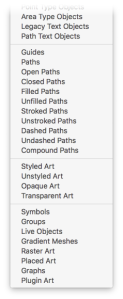 Buried not-too-deeply in Adobe’s SDK (Software Developer’s Kit) is a list of pre-defined art object types. While some were included in Illustrator’s Select > Object menu, many more were not. It seemed useful to select the other object types, as well, and objects such as paths had properties that were easily obtained and often helpful to select within an illustration. In that spirit, I wrote Select Menu plugin and, given that it was relatively simple to build and applicable to casual users, I’d make it available for free.
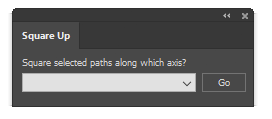 Have you ever been given a project with almost-usable art to use as a starting point? You know, the kind where straight lines should be at right angles, but it’s just a little bit cockeyed? I used to manually snap every point to a grid, but thought “good grief, there must be a simpler way.” That’s when I got the idea for Square Up. With it, you can just select the paths you want to straighten, select how you want them aligned, and “click” it’s done. There are four methods of squaring which could probably benefit from a brief explanation.
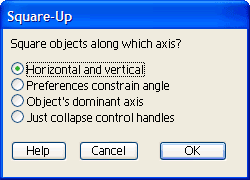 I might mention that the plugin now comes in a new, compact size. At first I made a panel that mimicked the dialog shown here, then realized it didn’t have to be that huge. Even though panels (remember when we called them palettes?) have some real advantages over modal dialog boxes, there is a point where they begin to crowd our work area so I promise not to make mine larger than they really have to be.


